How to Complete a KYC Verification Offline?

Here’s a step-by-step guide to complete bank KYC verification offline:

  • Icon

    Download bank KYC form and fill the form.
    Or,
    Get the form from the bank.

  • Icon

    Attach address proof and identity proof documents along with the KYC form.

  • Icon

    Visit the bank branch and inform at the reception that you would like to complete the KYC.

  • Icon

    Submit the form and documents at the bank.

Alternatively, you can request a bank official to visit for an at-home verification.

  • Icon

    Download KYC form and fill in the form.

  • Icon

    Keep all documents related to completing KYC ready.

  • Icon

    Book a verification appointment for a bank official to visit your address and verify your documents.

  • Icon

    Be present at home and complete the verification process with the bank official.

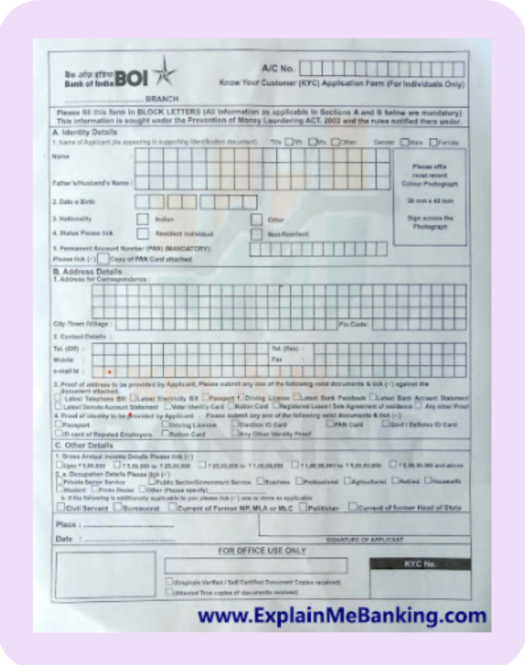
You can see an example of a KYC form below.

Documents for identity proof:

Documents for identity proof:

  • PAN Card
  • Passport
  • Driving License
  • Aadhaar card
  • Form 16 if PAN card is not available.
  • Voter’s ID card
  • 2 passport size photos

Quick tip

Form 16 is a certificate issued by an employer which states that Income Tax (TDS) has been deducted from the salary.

Documents for address proof:

Documents for address proof:

  • Recent electricity bill
  • Recent landline phone bill
  • Passport
  • Bank account statement
  • Rental agreement
  • Aadhaar card
  • Driving License

Continue reading to know about how to complete an online KYC verification

Next chapter